- 1 Introduction — Why Business Questions Matter More Than Ever
- 2 How Business Questions Zoho Analytics Turns Data into Instant Insights
- 3 10 Powerful Business Questions You Can Answer Using Zoho Analytics
- 4 Benefits of Using Zoho Analytics for SMEs
- 5 Real-World Example — How an SME Boosted ROI with Zoho Analytics
- 6 Getting Started — How to Build Your First Dashboard in Zoho Analytics
- 7 Final Thoughts — Ask Better Questions, Get Better Results
- 8 FAQs on Business Questions Zoho Analytics
Introduction — Why Business Questions Matter More Than Ever
Every successful business runs on good questions. Business Questions Zoho Analytics: 10 Powerful Answers for SMEs
Questions like “Where are we losing money?” or “Which product brings the most profit?” decide whether you grow or struggle.
For small and medium-sized businesses (SMEs), these questions often stay unanswered because of time, tools, or technical skills. That’s where Zoho Analytics steps in — an affordable, intelligent, and easy-to-use business intelligence tool that helps you find insights instantly.
If you’ve ever wished you could see your entire business performance on one dashboard, this guide is for you. Let’s explore How Zoho Analytics Turns Data into Instant Insights. 10 powerful business questions Zoho Analytics can answer in just minutes.
How Business Questions Zoho Analytics Turns Data into Instant Insights
Zoho Analytics is more than a reporting tool — it’s your decision-making partner.
It connects data from all your apps — Zoho CRM, Books, Creator, Shopify, Google Ads, or Excel sheets — and transforms raw numbers into clean, interactive dashboards.
The best part? You don’t need to be a data expert.
With Zoho’s AI assistant Zia, you can simply ask a question like:
“Show me last quarter’s sales trend by region.”
In seconds, Zia presents a beautiful chart or table with accurate data. That’s the magic of Zoho Analytics for SMEs — it makes data talk your language.

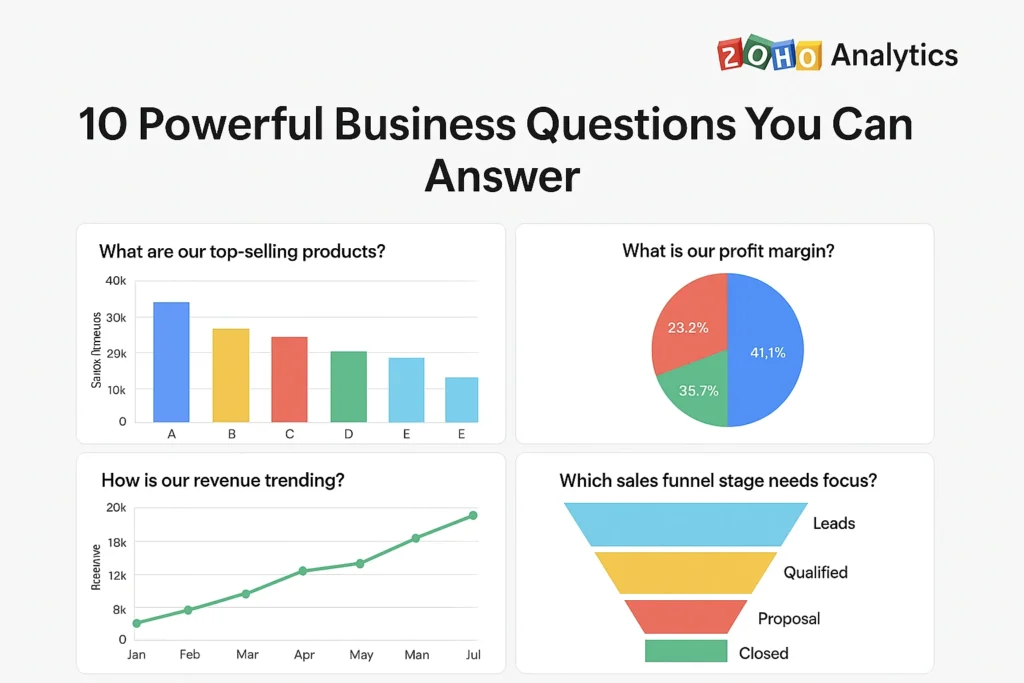
10 Powerful Business Questions You Can Answer Using Zoho Analytics
1. Which Products or Services Are Generating the Most Revenue?
With Zoho Analytics, you can instantly identify top-selling products, track seasonal trends, and find which offerings drive the highest profit margins.
No more guessing — your product strategy becomes data-backed.
2. Who Are My Most Profitable Customers?
Segment your customers by revenue, purchase frequency, or lifetime value.
Zoho Analytics helps you find your most loyal and profitable clients, so you can prioritize relationships that truly matter.
3. How Are My Marketing Campaigns Performing?
Track which campaigns generate the best ROI.
From social media ads to email campaigns, Zoho Analytics merges your marketing data into one dashboard, showing conversion rates and engagement levels in real time.
4. What’s My Real-Time Sales Performance?
Stay on top of your targets with live dashboards.
You can view region-wise sales, top-performing sales reps, and daily targets — all updated automatically. Perfect for team huddles and quick decisions.
5. Where Am I Losing Money or Efficiency?
Every rupee saved adds to your growth. Zoho Analytics helps you track expenses, overheads, and bottlenecks so you can identify what’s slowing your operations — and fix it fast.
6. Which Channels Drive the Most Leads?
Integrate Zoho CRM with Zoho Analytics to discover which platforms — Google Ads, LinkedIn, or organic search — bring in the most qualified leads.
This insight helps you invest where returns are highest.
7. How Is My Cash Flow Trending Over Time?
Cash flow defines business health.
Zoho Analytics visualizes your cash inflow and outflow patterns, helping you forecast liquidity and prepare for upcoming expenses without surprises.
8. Are My Employees Meeting Performance Targets?
Connect Zoho People or your HR systems to Zoho Analytics reports to track employee KPIs, attendance, and productivity trends.
Zoho Analytics highlights star performers and areas needing training or support.
9. What Customer Feedback Trends Should I Act On?
With Zoho Desk and Survey integration, Business Questions Zoho Analytics can analyze customer sentiment. Spot patterns in feedback and identify improvement opportunities to boost retention.
10. How Accurate Are My Forecasts and Predictions?
Zoho Analytics’ AI forecasting tool predicts sales, demand, and revenue with precision.
By comparing actuals vs forecasts, you can improve planning and make decisions with confidence.

Benefits of Using Zoho Analytics for SMEs
- Saves time: Automate reports that usually take hours
- Increases accuracy: No more Excel mistakes or manual errors
- Improves collaboration: Share dashboards with teams securely
- AI assistance: Get instant insights with simple natural language questions
- Cost-effective: Enterprise-level BI at a price built for SMEs
Zoho Analytics doesn’t just answer business questions — it helps you build a smarter, data-driven culture.
Real-World Example — How an SME Boosted ROI with Zoho Analytics
A retail company in Bangalore used Zoho Analytics to track its sales and marketing performance.
Within three months, they discovered that 70% of their digital ad budget went to channels bringing just 10% of leads.
By reallocating funds, they increased ROI by 45% and reduced reporting time by 80%.
That’s the power of visual insights — fast, factual, and transformative.
Getting Started — How to Build Your First Dashboard in Zoho Analytics
- Sign up for Zoho Analytics (free trial available)
- Connect your data from Zoho apps, Excel, or Google Sheets
- Choose your KPIs — sales, marketing, finance, HR, etc.
- Use AI Assistant (Zia) to ask natural questions
- Customize & share dashboards with your team
You’ll be amazed how quickly your data turns into decisions.
It blends automation, simplicity, and affordability
👉 Swadeshi SaaS: The Ultimate 50+ Zoho Products Guide
👉 Zoho Analytics vs Google Data Studio
👉 30 Essentials Zoho Products in 2025
Final Thoughts — Ask Better Questions, Get Better Results
Every growing business needs clarity.
With Zoho Analytics, you can stop drowning in spreadsheets and start discovering insights that truly matter.
When you use Business Questions Zoho Analytics, you stop guessing and start knowing.
It’s not about collecting more data — it’s about asking smarter questions.
Start exploring your business questions in Zoho Analytics today — and watch your numbers tell a smarter story.
FAQs on Business Questions Zoho Analytics
What is the best way to use Zoho Analytics for business questions?
Start by connecting your most important data sources — CRM, sales, finance — and use prebuilt templates to explore insights.
Is Zoho Analytics suitable for small and medium businesses?
Absolutely. It’s designed for SMEs who need enterprise-grade analytics without complex setup or huge costs.
How accurate are Zoho Analytics insights?
Zoho Analytics integrates directly with your data sources, ensuring real-time accuracy and transparency.
Can Zoho Analytics integrate with other Zoho apps?
Yes. It connects seamlessly with Zoho CRM, Books, Desk, People, and more — plus external apps like Google Ads, Shopify, and Excel.
How long does it take to set up a dashboard?
Usually under an hour for most SMEs. With templates and drag-and-drop tools, anyone can build dashboards without coding.